The average formula is always in plain sight
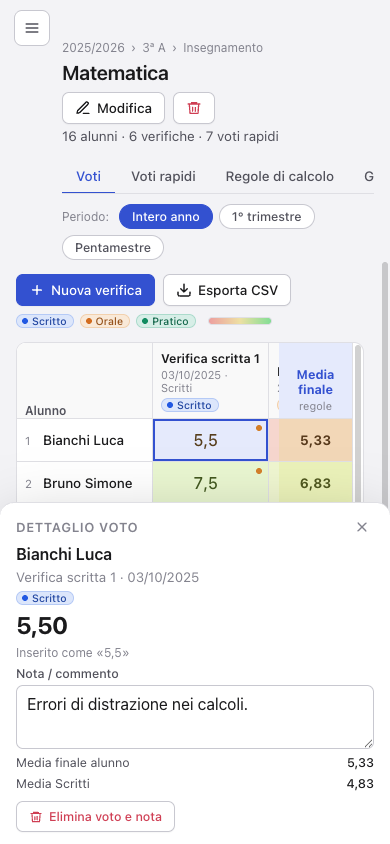
Tags, weighted groups, quick-grade series and periods. You decide how the final average is built and Tabulo shows it worked out on a real student.
School years, classes and students. Tagged grades, aggregation rules, periods, quick grades, notes and AI-written reports based on your own data. All in a file that stays yours, on Mac and Windows today, on iPad, iPhone and Android soon.
Free, donationware. macOS 12 or later (Apple Silicon) · Windows 10 or later
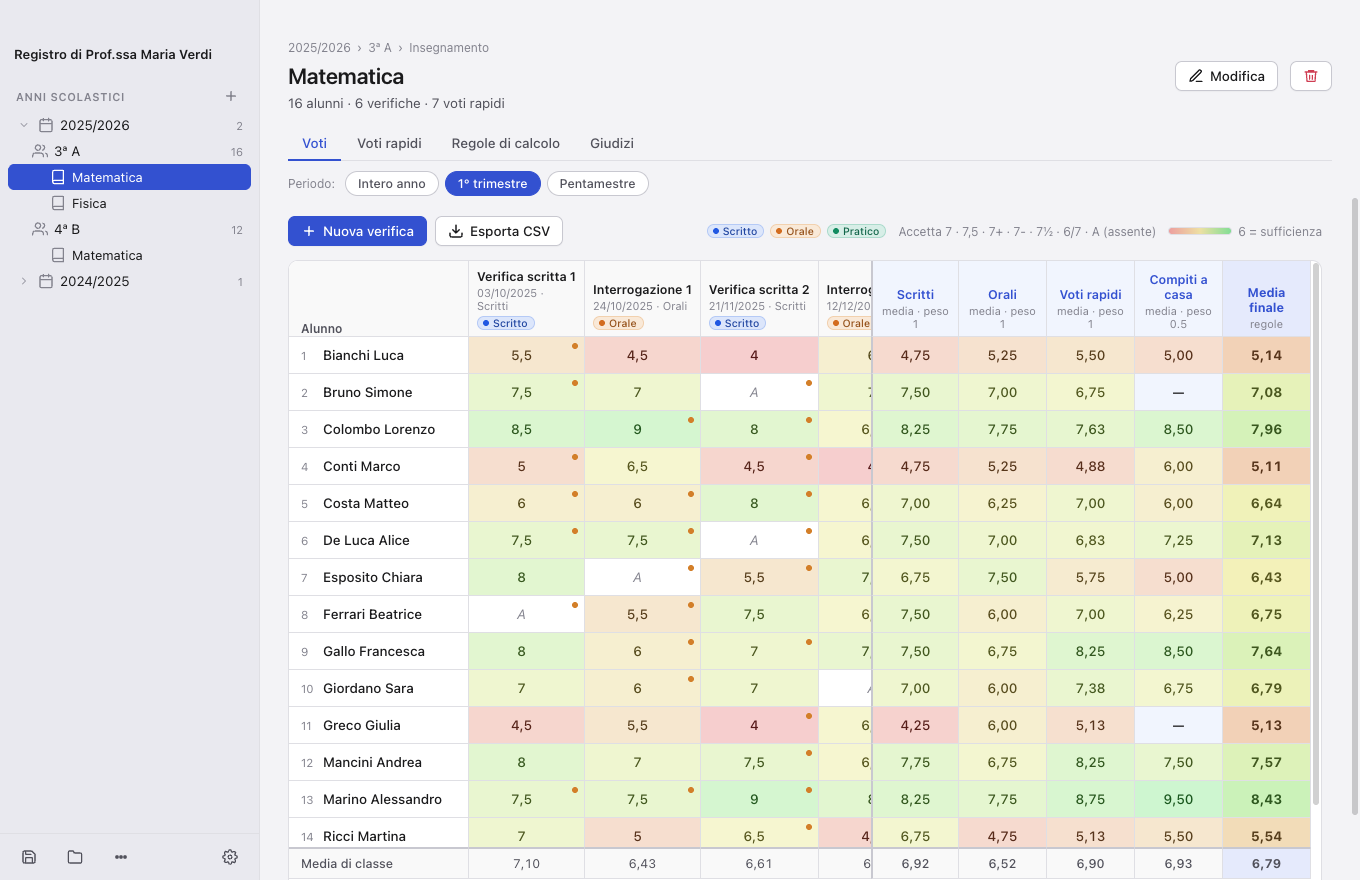
Designed with teachers: a couple of clicks to enter a grade, averages always up to date, no subscription.
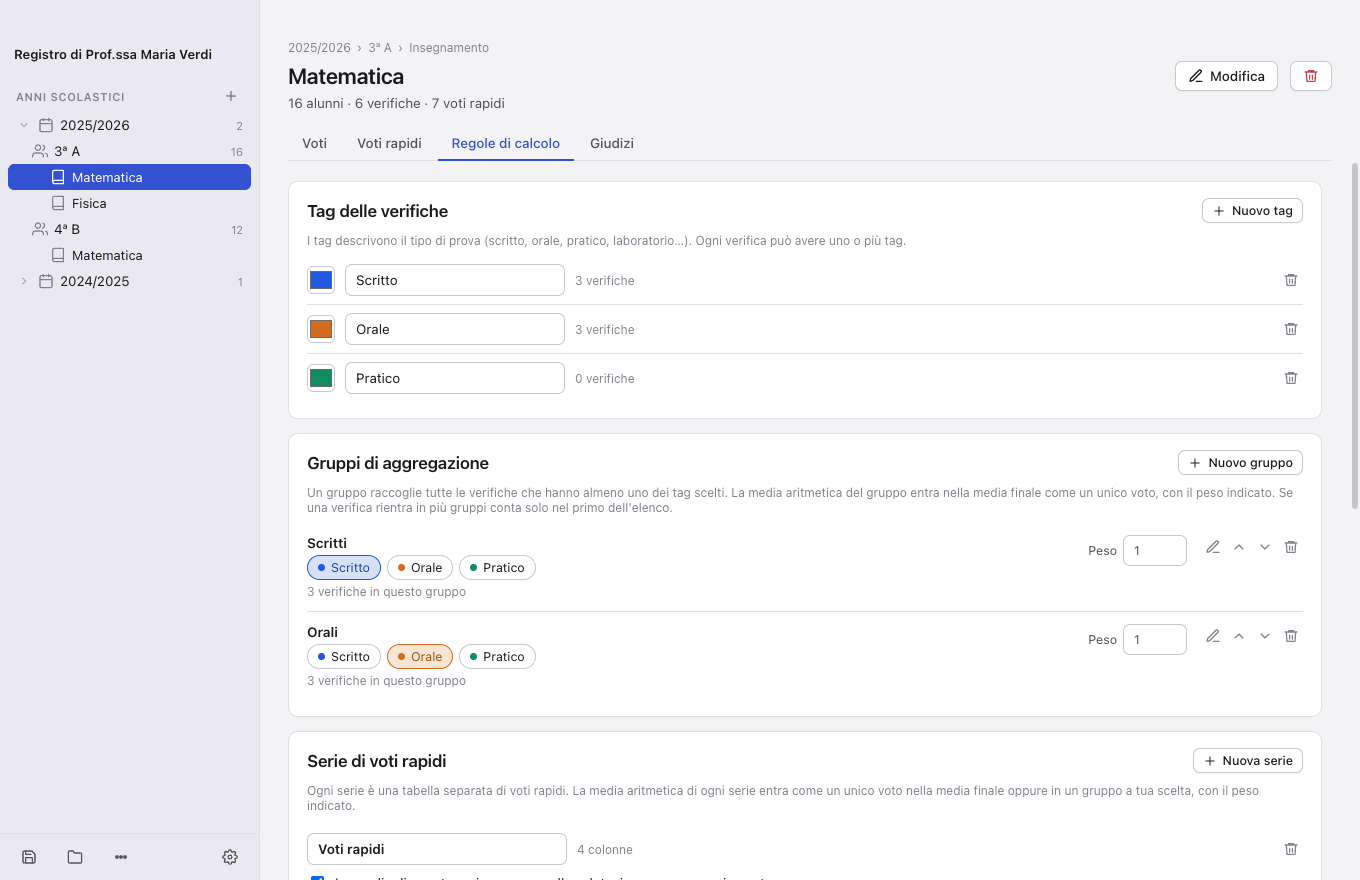
Tag every assessment (written, oral, practical…) and decide how to aggregate: the written-test average as a single grade, different weights per group, excluded grades. The formula is always visible.
A separate table for short, impromptu oral checks. Their average becomes a grade that enters the final average or the group you choose, for example together with the oral grades.
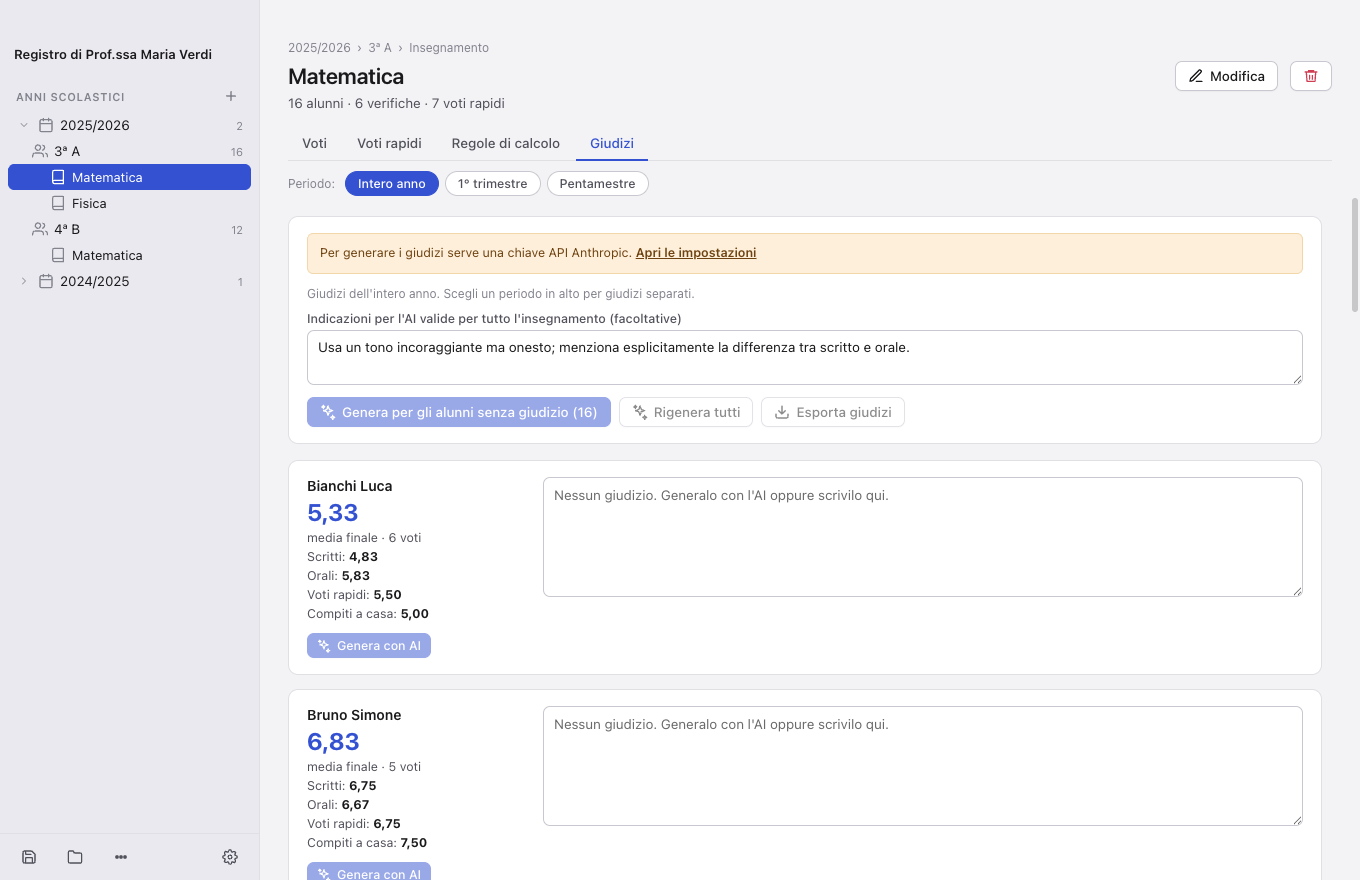
An overall report for each student, based only on grades, tags and your notes. Generate it for one student or the whole class, edit it and export it.
Every cell goes from red to green through the yellow of the pass mark: at a glance you see who is improving and who needs help.
4 · 6 · 10The gradebook is a simple .tabl file. Save it in iCloud Drive, Dropbox or Google Drive and open it from Mac and Windows today, from iPad, iPhone and Android soon: your cloud does the syncing.
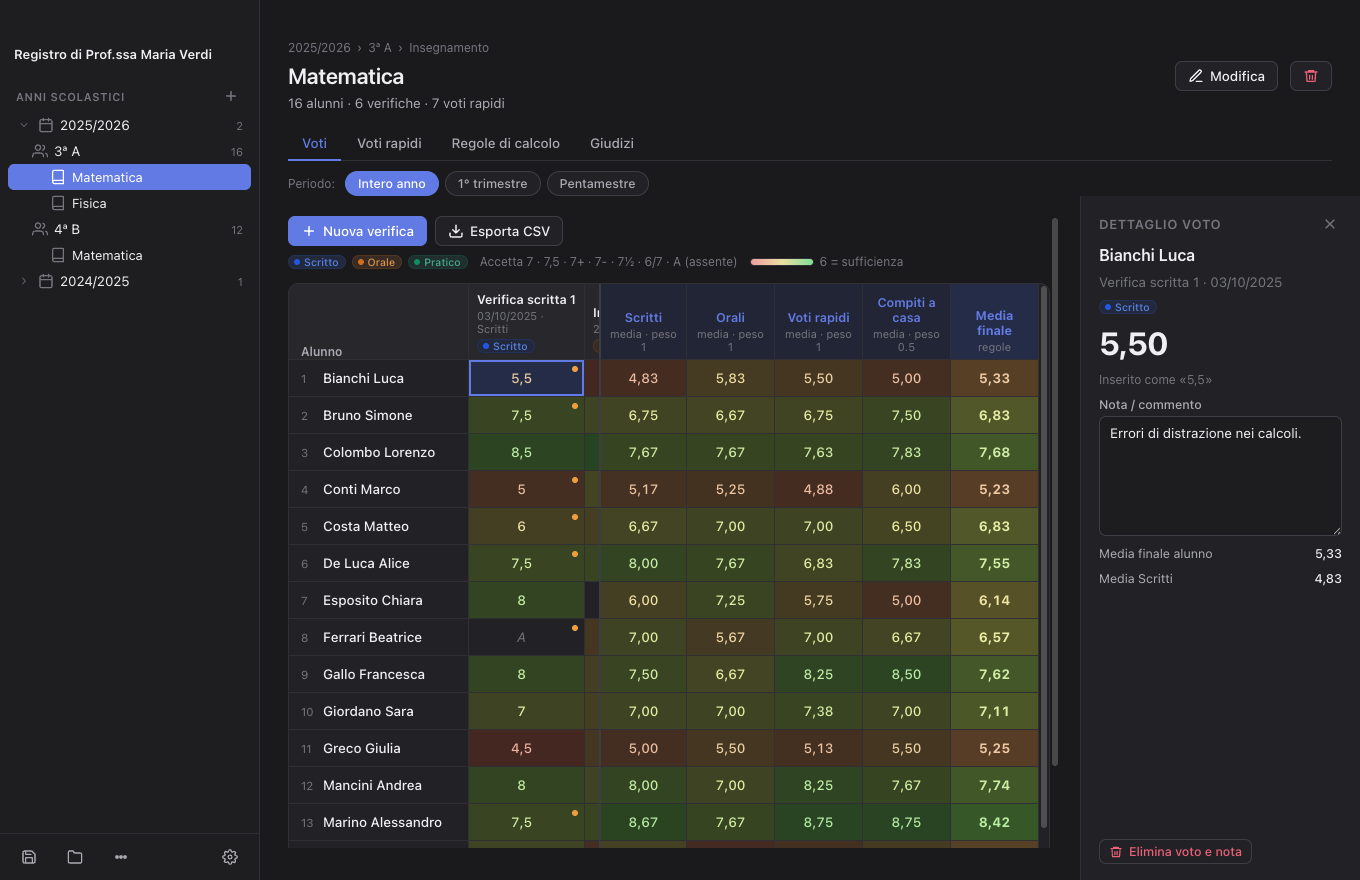
Light or dark interface, in Italian, English, French and German. Export CSV for your spreadsheet and reports as text.
Three steps and you are ready.
Paste the list of students, link the subjects you teach in that class.
One column per assessment; type 7, 7½ or 6/7 and press Enter. Add a note when needed.
The calculation rules are yours. At the end of term, the AI drafts a report for each student.
Tags, weighted groups, quick-grade series and periods. You decide how the final average is built and Tabulo shows it worked out on a real student.
At the end of term the AI reads grades, tags and notes and proposes a report for each student. You edit it, paste it into the report card or export it. Nothing leaves your Mac until you press “Generate”.
Dark mode, a compact layout and the same file in your cloud folder: what you enter today on the Mac is there tomorrow on iPad and iPhone, when they arrive.
No account, no server of ours. The gradebook is a file on your Mac or in your personal cloud. You decide where it lives and who sees it.
Report generation uses the Anthropic API with a key you enter yourself: only the student’s name, grades, tags, notes and averages for the chosen subject are sent, and only when you press “Generate”.
Nothing. Tabulo is donationware: free, with no ads and no subscription. If it helps you, you can support it with a donation of your choice via PayPal (we suggest €9.99). AI report generation uses your own Anthropic API key, billed by usage.
Yes. Minimum, maximum, decimals and pass mark are set per gradebook. Notations such as 7+, 7-, 7½ and 6/7 are accepted.
Everything except AI report generation. Grades, averages, exports and saving are local.
Save the gradebook in iCloud Drive (or Dropbox, Google Drive). On Mac and Windows open the same file; on iPad and iPhone, once the app is available, with “Open from Files…”. When the file changes on another device, the app offers to reload it.
Not yet: official registers do not offer teacher APIs. You can export grades as CSV and import them where needed.
We ask for nothing: no subscription, no ads, no account. If Tabulo saves you time, you can say thanks with a donation of your choice via PayPal. We suggest €9.99, but any amount is welcome.
macOS 12 or later, Apple Silicon. Open the DMG and drag the app to Applications. First launch: right-click › Open.
Download the DMGWindows 10 or later, 64-bit. Installer or portable version with no installation. SmartScreen may ask for confirmation: “More info” › “Run anyway”.
Download the installerThe iOS and Android versions are coming soon. Same file, same features, syncing through your cloud.
Your download has started. Tabulo is free and donationware: if you would like to support development, a €9.99 donation via PayPal helps us keep going.